BXPPEN Artist Ultra 14 vs Huion Kamvas 16 Gen 3: Which?
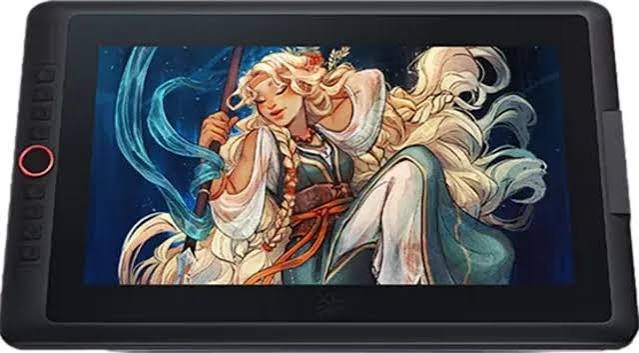
For digital artists, choosing the best drawing tablet is about more than screen size or pressure sensitivity. Display quality, color accuracy, stylus responsiveness, portability, and overall workflow can all affect the creative experience. The BXPPEN Artist Ultra 14 and Huion Kamvas 16 Gen 3 are both designed for digital illustration, animation, graphic design, and photo editing, but they take different approaches to the creative experience.
The Artist Ultra 14 emphasizes OLED display quality, portability, and advanced features, while the Kamvas 16 Gen 3 focuses on a larger working area and a desktop drawing experience. Therefore, when comparing the BXPPEN Artist Ultra 14 vs Huion Kamvas 16 Gen 3, there is no clear winner. The better choice ultimately depends on whether you prioritize display quality and mobility or screen size and desktop comfort.
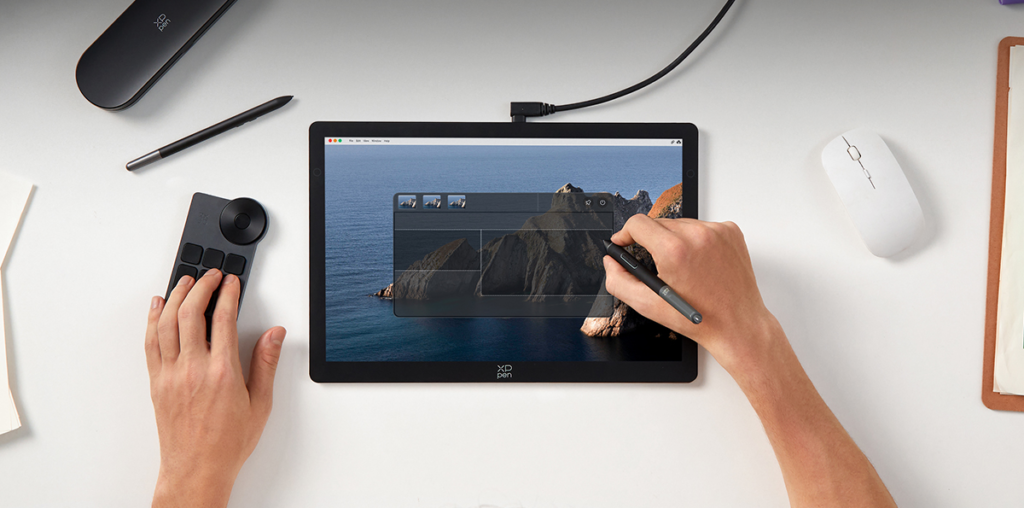
BXPPEN Artist Ultra 14 vs Huion Kamvas 16 Gen 3: Key Specifications
The two pen displays take different approaches. The XPPen Artist Ultra 14 focuses on display quality, portability, and a smoother overall experience, while the Kamvas 16 Gen 3 offers a larger working area for desktop use. The key differences in the BXPPEN Artist Ultra 14 vs Huion Kamvas 16 Gen 3 comparison are summarized below.
| Feature | BXPPEN Artist Ultra 14 | Huion Kamvas 16 Gen 3 |
| Display | 14″ AMOLED/OLED | 15.8″ IPS |
| Resolution | 2880 × 1800, 2.8K | 2560 × 1440, 2.5K |
| Refresh Rate | 90Hz | 60Hz |
| Color Depth | Native 10-bit | 8-bit |
| Adobe RGB | 99% | 90% |
| Pressure Sensitivity | 16,384 levels | 16,384 levels |
| Touch | 10-point multitouch | No multitouch |
| Weight | About 720g | About 1.2kg |
| Best For | Portable, color-focused creative work | Large-screen desktop drawing |
Display Quality: Which One Has the Advantage?
Screen Size and Resolution
The Kamvas 16 Gen 3 features a larger 15.8-inch display, giving artists more physical workspace for large illustrations, comic pages, and complex Photoshop projects. The additional screen area can also reduce the need for frequent zooming and panning during longer drawing sessions.
The Artist Ultra 14 uses a smaller 14-inch screen but offers a higher 2880 × 1800 2.8K resolution, resulting in sharper details and higher pixel density. Its 16:10 aspect ratio also provides slightly more vertical workspace than a typical 16:9 display. In the BXPPEN Artist Ultra 14 vs Huion Kamvas 16 Gen 3 comparison, the Kamvas 16 Gen 3 prioritizes a larger working area, while the Artist Ultra 14 focuses on higher resolution in a more compact format.
OLED and Color Performance
Display technology is one of the biggest advantages of the Artist Ultra 14. Its AMOLED panel supports native 10-bit color, 99% Adobe RGB, 99% sRGB, and 99% Display P3 coverage, making it particularly useful for artists working with subtle gradients, skin tones, shadows, highlights, and other color-sensitive content.
The display also offers approximately 350 nits of typical brightness and a fully laminated construction. For users who prioritize color reproduction and overall image quality, the Artist Ultra 14 has the stronger display specifications, which is an important advantage in the BXPPEN Artist Ultra 14 vs Huion Kamvas 16 Gen 3 comparison.
1. Pen and Drawing Experience
Both devices offer professional-level pen performance, with up to 16,384 levels of pressure sensitivity. The Artist Ultra 14 uses the X3 Pro Smart Chip Stylus, while the Kamvas 16 Gen 3 features Huion PenTech 4.0 with ±60° tilt recognition. More pressure levels do not necessarily mean better drawing quality; pen stability, light-pressure response, and how naturally pressure translates into line width and opacity are equally important.
The Artist Ultra 14 has an additional advantage with its 90Hz refresh rate, compared with 60Hz on the Kamvas 16 Gen 3, making pen movement, canvas panning, and scrolling feel smoother. It also supports 10-point multitouch, allowing artists to zoom, rotate, and navigate the canvas more naturally. For artists comparing the BXPPEN Artist Ultra 14 vs Huion Kamvas 16 Gen 3, this gives the Artist Ultra 14 a more fluid and flexible drawing experience.
2. Compatibility and Connectivity
Both pen displays work with popular creative software such as Adobe Photoshop, Adobe Illustrator, Clip Studio Paint, and Krita, making them suitable for most established digital art workflows. The Artist Ultra 14 supports Windows, macOS, Android, ChromeOS, and selected Linux systems.
It also offers multiple USB-C connection options and includes USB-C to USB-C, USB-C to USB-A, and 3-in-1 cables. This flexibility is particularly useful for artists who frequently switch between computers or work in different locations. In terms of connectivity, the BXPPEN Artist Ultra 14 vs Huion Kamvas 16 Gen 3 comparison therefore leans toward the Artist Ultra 14 for users who need a more flexible setup.
3. Portability and Overall Strengths
Portability is one of the clearest differences in the BXPPEN Artist Ultra 14 vs Huion Kamvas 16 Gen 3 comparison. The Artist Ultra 14 weighs about 720g and is approximately 8mm thick, making it easier to carry with a laptop and other creative equipment. The Kamvas 16 Gen 3 weighs around 1.2kg and has a larger 15.8-inch display, making it better suited to a permanent desk setup. Beyond portability, the two devices also differ in display quality, drawing features, and overall workflow.
| Category | BXPPEN Artist Ultra 14 | Huion Kamvas 16 Gen 3 |
| Main Strength | OLED display, color performance, portability | Larger 15.8-inch working area |
| Drawing Experience | 90Hz, multitouch, 16,384 pressure levels | 60Hz, PenTech 4.0, 16,384 pressure levels |
| Portability | About 720g; compact and lightweight | About 1.2kg; better suited to desktop use |
| Best For | Mobile, color-focused creative work | Large-screen desktop drawing |
| Main Drawback | Smaller screen and higher price | Heavier, no multitouch, lower display specifications |
Overall, the choice between the BXPPEN Artist Ultra 14 vs Huion Kamvas 16 Gen 3 comes down to priorities. The Artist Ultra 14 is better suited to artists who value portability, display quality, and flexible interaction, while the Kamvas 16 Gen 3 is a stronger fit for those who prefer a larger canvas and a desktop-focused workflow.
Which One Should You Choose?
The XP-Pen Artist Ultra 14 is the better choice if you:
· Prioritize OLED image quality and color accuracy
· Want native 10-bit color and wide color coverage
· Prefer a 90Hz display
· Need multitouch controls
· Frequently carry your pen display
· Work between different locations
For these users, the BXPPEN Artist Ultra 14 vs Huion Kamvas 16 Gen 3 comparison generally favors the Artist Ultra 14 because its display and portability provide advantages that are difficult to overlook.
The Huion Kamvas 16 Gen 3 is a better fit if you:
· Prefer a larger 15.8-inch canvas
· Mainly work at a fixed desk
· Frequently create large illustrations or complex projects
· Value working space more than portability
For this type of workflow, the larger screen makes the Kamvas 16 Gen 3 a practical alternative. Therefore, the BXPPEN Artist Ultra 14 vs Huion Kamvas 16 Gen 3 decision should ultimately be based on how much you value screen size versus portability and display quality.
Final Verdict
So, which option comes out ahead in the BXPPEN Artist Ultra 14 vs Huion Kamvas 16 Gen 3 comparison? For users who prioritize OLED display quality, color performance, portability, multitouch, and a smoother 90Hz experience, the Artist Ultra 14 is the more compelling option. Its 2.8K AMOLED display and lightweight design make it particularly well suited to mobile and color-focused creative work.
The Kamvas 16 Gen 3 remains a strong choice for artists who want a larger 15.8-inch working area and mainly create at a fixed desk. Ultimately, the BXPPEN Artist Ultra 14 vs Huion Kamvas 16 Gen 3 choice comes down to workflow: choose the Artist Ultra 14 for display quality and portability, or the Kamvas 16 Gen 3 for a larger desktop canvas and more working space.