What is an MTP Loopback? Ultimate Guide to Fiber Optic Testing
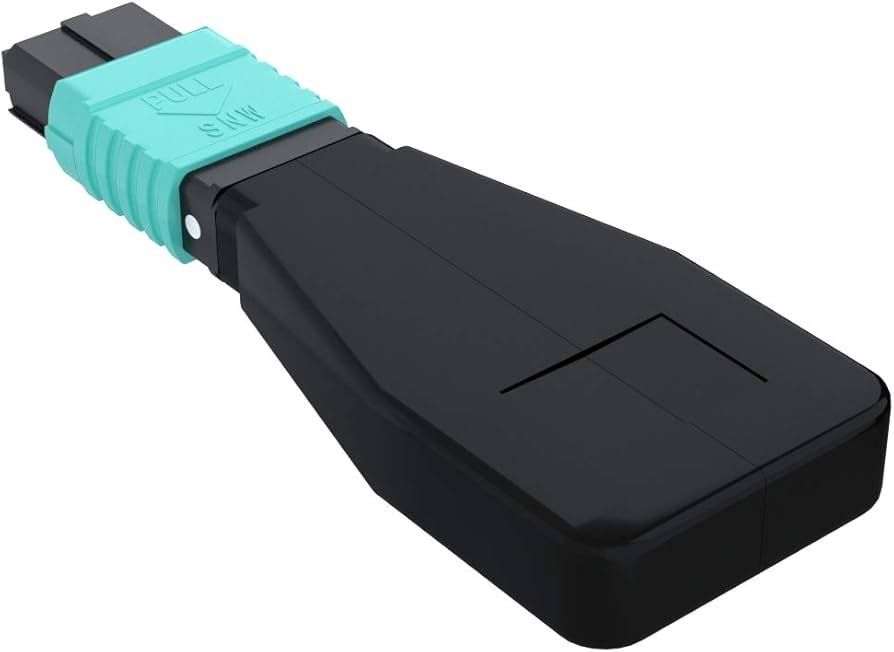
Have you ever wondered how super-fast internet cables are tested? Imagine a network engineer trying to find a broken wire inside a massive data center. It looks like a giant maze of cords. That is where an MTP loopback becomes a true lifesaver. This tiny device plugs into a network port and sends the light signal right back to where it started.
Think of it like throwing a bouncy ball against a solid wall. If the ball bounces straight back into your hand, you know the path is completely clear. If the ball vanishes, you know there is a big problem somewhere along the line. An MTP loopback does the exact same thing but uses lasers and light instead of bouncy balls. It helps engineers test high-speed fiber optic equipment without needing to connect two separate machines over long distances.
Using an MTP loopback makes testing fast, cheap, and very simple. It allows a single technician to verify if a transceiver is working perfectly in just a few seconds. Without this handy tool, finding network errors would take hours of frustrating guesswork. Let us dive deep into how this amazing technology keeps our digital world connected and running smoothly.
What Exactly Is an MTP Loopback Device
An MTP loopback is a specialized fiber optic plug used for testing network connections. The letters MTP stand for Multi-Fiber Termination Push-on. This means a single connector holds many individual strands of glass fiber inside it. Instead of sending data across a room, this device loops the transmit signal directly back into the receive side.
Inside the plastic casing, the tiny glass fibers are carefully bent into a tight loop. This loop connects the output channels directly to the input channels. When you plug an MTP loopback into a network switch, the switch talks to itself. This self-talk lets the machine run a self-diagnosis to ensure its internal lasers are shining bright.
Network teams love the MTP loopback because it is incredibly compact and requires zero external power. It acts as a dummy load for testing purposes. It simulates a complete network circuit inside a space no larger than your thumb. It is an essential item in every modern IT technician’s toolkit.
Specifications and Quick Reference Guide
To understand these devices better, it helps to look at their physical traits and capabilities. Below is a detailed look at the common technical details you will find on standard testing hardware used in modern data hubs.
| Product Feature | Technical Detail Specification | | Black Outer Housing | Heavy Duty Molded Plastic | | Internal Fiber Type | Singlemode OS2 or Multimode OM3 OM4 OM5 | | Fiber Count Channels | 8 Fibers, 12 Fibers, or 24 Fibers Options | | Typical Insertion Loss | Less than 0.35 Decibels | | Durability Lifespan | Over 500 Matings and Unmatings | | Outer Jacket Rating | Plenum OFNP or LSZH Low Smoke Zero Halogen | | Target Testing Speed | 40G, 100G, 400G, and 800G Ethernet Networks |
How Fiber Optic Loopback Testing Works
The science behind an MTP loopback is actually very simple to understand. Fiber optic cables send data using quick flashes of laser light. One wire is used to send the light out, while another wire receives the incoming light. For a connection to work, both sides must be perfectly aligned and clean.
When you insert an MTP loopback, the light exits the machine and hits the internal glass curve. The device safely redirects that light backward into the optical sensor next door. If the sensor detects the exact same light pattern, the hardware passes the test. This tells the engineer that the port is healthy.
If the returned light is too dim or missing completely, something is wrong inside the port. This process is called a loopback test. Using an MTP loopback isolates the equipment from the rest of the long-distance cables. It proves whether the issue is inside the expensive machine or somewhere out in the building’s walls.
Understanding Different Types of Fiber Connections
Not all fiber cables are created equal, and the same goes for testing tools. You will often hear people talk about Singlemode and Multimode fiber types. Singlemode fiber uses a tiny core and a laser to send data over many miles. Multimode fiber uses a wider core and LED lights for shorter distances inside a single building.
An MTP loopback must match the exact type of fiber used in your network switch. If you mix up the types, the light will scatter and the test will fail. Multimode versions usually have bright aqua or magenta shells. Singlemode versions typically feature yellow bodies to prevent accidental mix-ups.
Furthermore, these tools come with different pin layouts. Some have male pins sticking out, while others have female holes. Matching the correct gender alignment is critical to protect the delicate glass faces from shattering during a test. Always check your equipment documentation before plugging things together.
The Critical Role of Fiber Strand Counts
Modern high-speed networks move massive amounts of data at the same time. To do this, they use multi-fiber connectors instead of old single-strand wires. A standard MTP loopback can hold 8, 12, or 24 separate strands of fiber inside one single nozzle.
An 8-fiber setup is common for 40G speeds, where four strands send data and four strands receive it. A 12-fiber configuration is the standard baseline for structured cabling layouts. The advanced 24-fiber MTP loopback is used in cutting-edge 100G and 400G systems inside cloud computing facilities.
If even one single strand inside the connector is dirty or broken, your speed drops dramatically. The MTP loopback checks every single strand simultaneously. It ensures that the entire array is aligned perfectly and ready to handle heavy internet traffic without dropping packets.
Why Network Engineers Rely on This Tool
In my years working around server racks, I have learned that time is money during a network outage. When an entire office loses its internet connection, panic sets in quickly. An MTP loopback helps engineers rule out problems in just a matter of seconds.
Instead of running long test cables across an entire warehouse, you just plug this small cap into the switch port. If the link light turns green, you instantly know the switch is perfect. That means the broken wire is somewhere out in the ceiling or under the floorboards.
This process of elimination saves hours of troubleshooting stress. An MTP loopback is also incredibly cheap compared to expensive laser testing meters. It offers a low-cost way to check port health without carrying bulky equipment up ladders or into tight spaces.
Proper Cleaning and Care for Testing Tools
Microscopic dust is the number one enemy of high-speed fiber optic networks. A single speck of dust can completely block a laser beam and ruin your test results. Because an MTP loopback is plugged into many different ports, it can easily collect dirt.
You must clean the tip of the tool before every single use. Special click-style cleaners are made just for this job. You simply push the cleaner against the connector face until you hear a loud click sound. This wipes away invisible oils and dust particles instantly.
Never touch the glass end of an MTP loopback with your bare fingers. The natural oils on your skin will leave a smudge that burns under intense laser light. When you are done testing, always snap the protective dust cap back on tightly to keep it clean.
Common Mistakes to Avoid During Testing
One big mistake beginners make is forcing the connector into a port backwards. An MTP loopback has a small raised key on one side of its plastic body. This key ensures the device only slides in one specific way. If you force it hard, you will break the delicate glass pins.
Another frequent error is ignoring the attenuation or light loss levels. Some loopbacks are built with built-in light reducers inside them. These mimic a long-distance run. If you use a direct loopback without reduction on a super strong laser, you might blind the optical receiver.
Always make sure you match the polarization style of your network. Cables can be flipped in configuration style A, B, or C. Using the wrong style MTP loopback will route the light to the wrong receiver holes. This leads to false error readings that waste your valuable time.
Future Trends in High Speed Optical Testing
As world internet speeds climb toward 800G and beyond, testing tools must evolve too. Future networks will pack even more fibers into smaller spaces. The trusty MTP loopback design is adapting to meet these extreme data center demands.
We are now seeing the rise of elite connectors with better internal glass cores. These new versions lose almost zero light at the joint points. This extreme precision is required for checking hyper-scale cloud server farms owned by major tech giants.
No matter how fast the internet gets, the basic concept of looping a signal will never change. The reliable MTP loopback will remain a fundamental tool for network builders. It guarantees our global communication web stays fast, reliable, and error-free for years to come.
Conclusion and Next Steps for Your Network
To sum it all up, ensuring your network hardware is healthy does not have to be a difficult chore. Investing in a quality MTP loopback gives you the power to find and fix connection issues like a seasoned pro. It keeps your business online and protects your expensive hardware from configuration mistakes.
Are you planning to upgrade your server room speeds or fix a slow fiber link soon? Make sure to add a couple of these handy loopback plugs to your field diagnostic kit. They are small tools that save massive amounts of time when every second counts.
Frequently Asked Questions
What does an MTP loopback actually do?
It redirects outgoing light signals directly back into the input port of the same device. This allows a network switch to test its own sending and receiving systems without external cables.
Can I use a multimode MTP loopback on a singlemode port?
No, you should never mix them. Multimode and singlemode fibers have different core sizes. Mixing them causes extreme light loss and will give you incorrect test results.
How many times can I plug in an MTP loopback before it wears out?
High-quality testing tools are built to last for about 500 connection cycles. After that, the plastic clips and internal glass faces may wear down and lose accuracy.
Why is cleaning the connector tip so important?
Even a tiny speck of dust can completely block the laser light. This causes false failures during your test. Cleaning ensures clear light passage and accurate diagnostics.
What is the difference between an MTP and an MPO loopback?
MTP is a branded, high-performance version of a standard MPO connector. MTP components have better mechanical parts and cause less light loss during testing.
Do I need a male or female loopback device?
It depends on your switch port. Most transceiver modules require a female loopback tool because the modules already have guide pins built inside them. Always check your port shape first.